Hair color simulator app
See your hair in a new color before you dye it
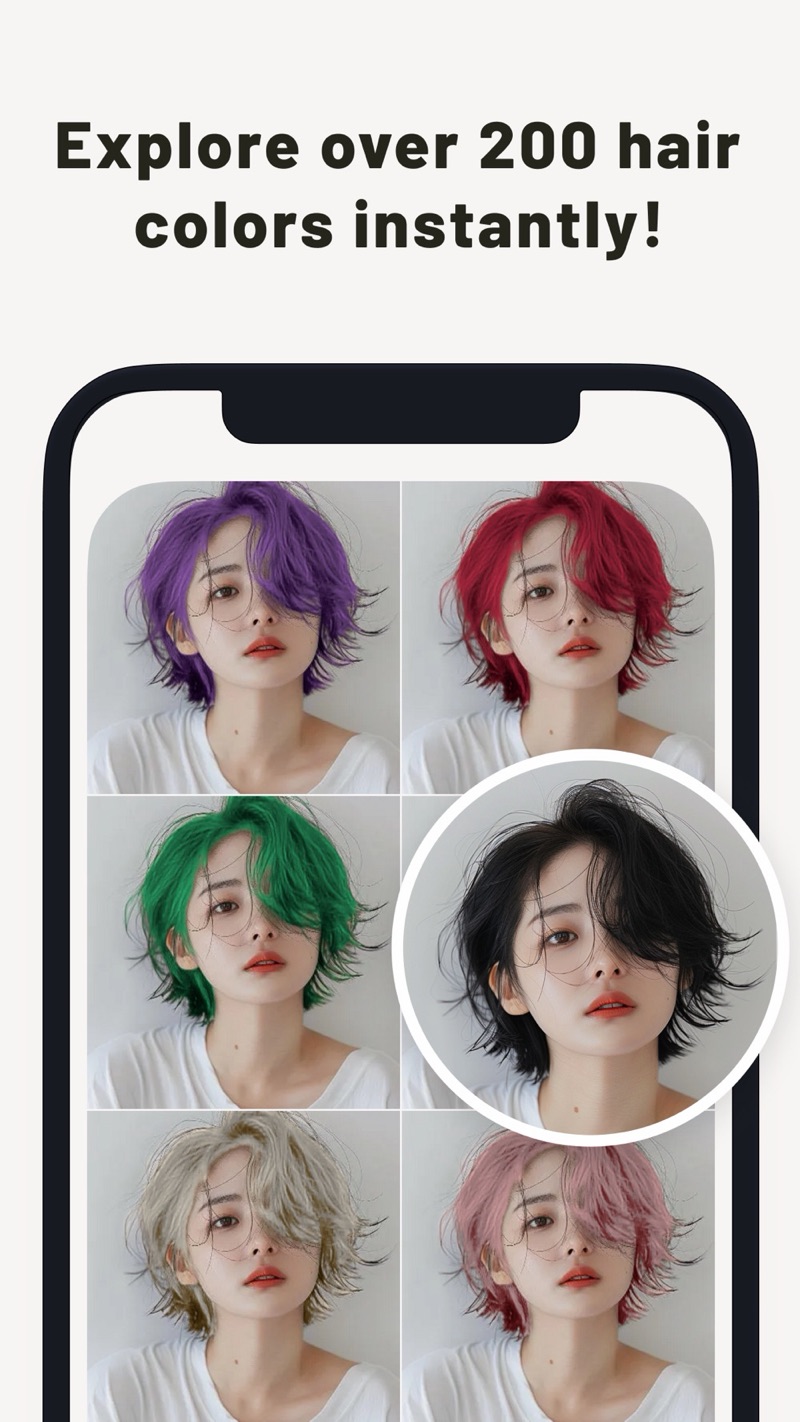
Choose a photo, swipe through 200+ shades, and watch your hair change in seconds. PerfectHairColor is a hair color changer app built around naturally dark hair.
Free to download. Premium removes ads and watermarks.
What you can do with it
Four things the app does well when you want to try on hair color.
Swipe to the next shade
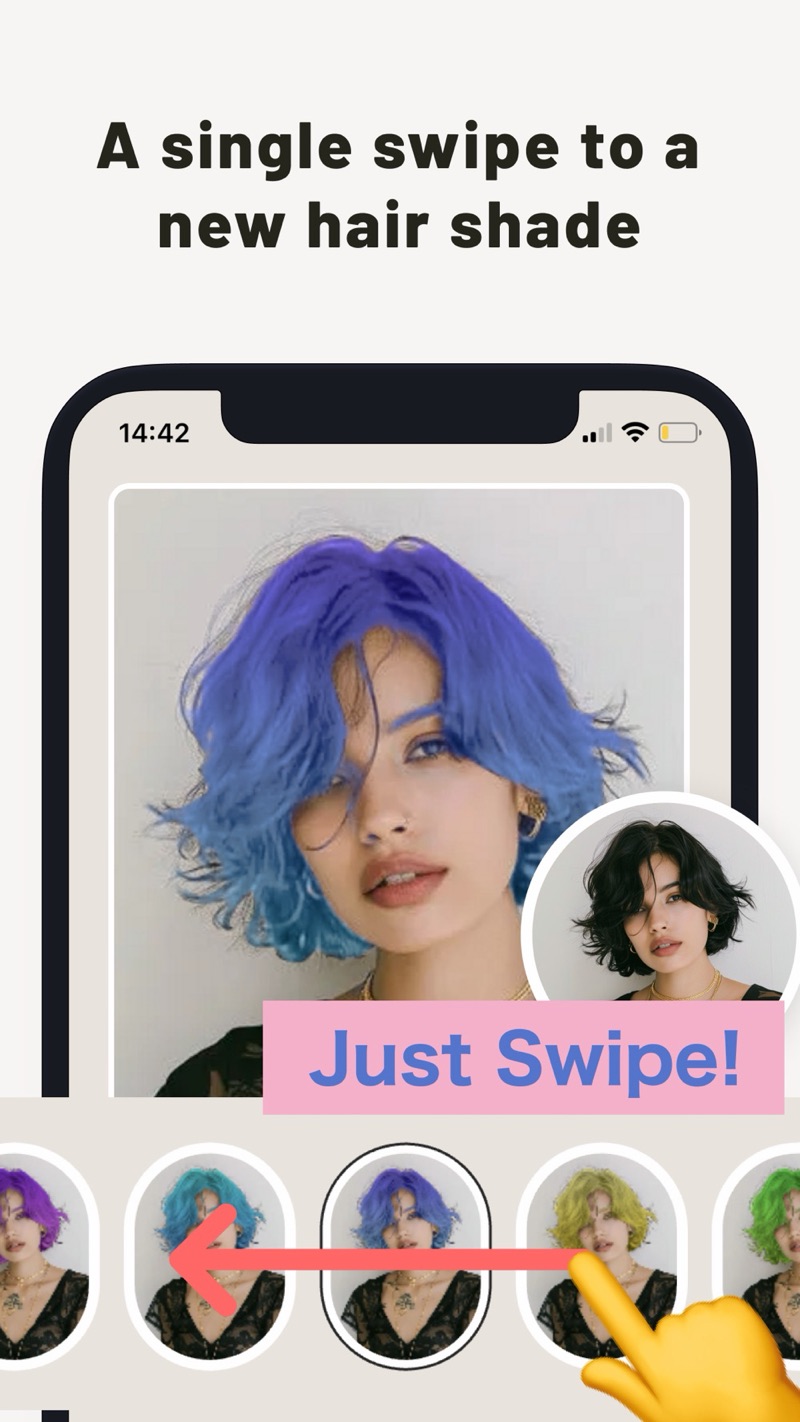
Once your photo is in, swipe sideways through the color row. Each swipe re-colors your hair in seconds, and a small circle keeps your original photo in view so you can compare as you go. There are 200+ colors, from soft pastels to vivid tones.
Lighten dark hair with the bleach effect
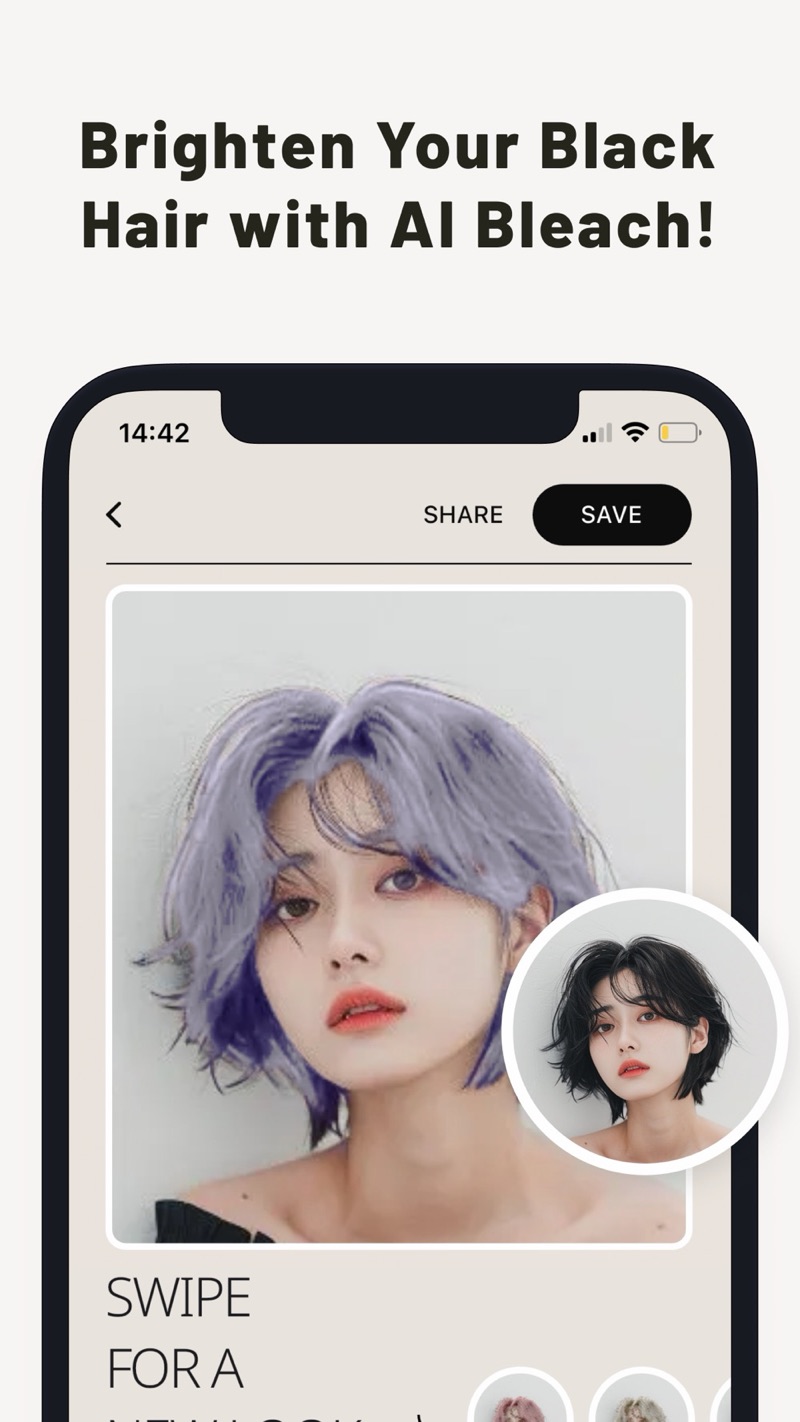
Black hair can be a hard starting point for bright colors. Turn on the bleach effect to see your hair lightened first, then pick the color you want on top. You can preview a bleached look without bleaching anything.
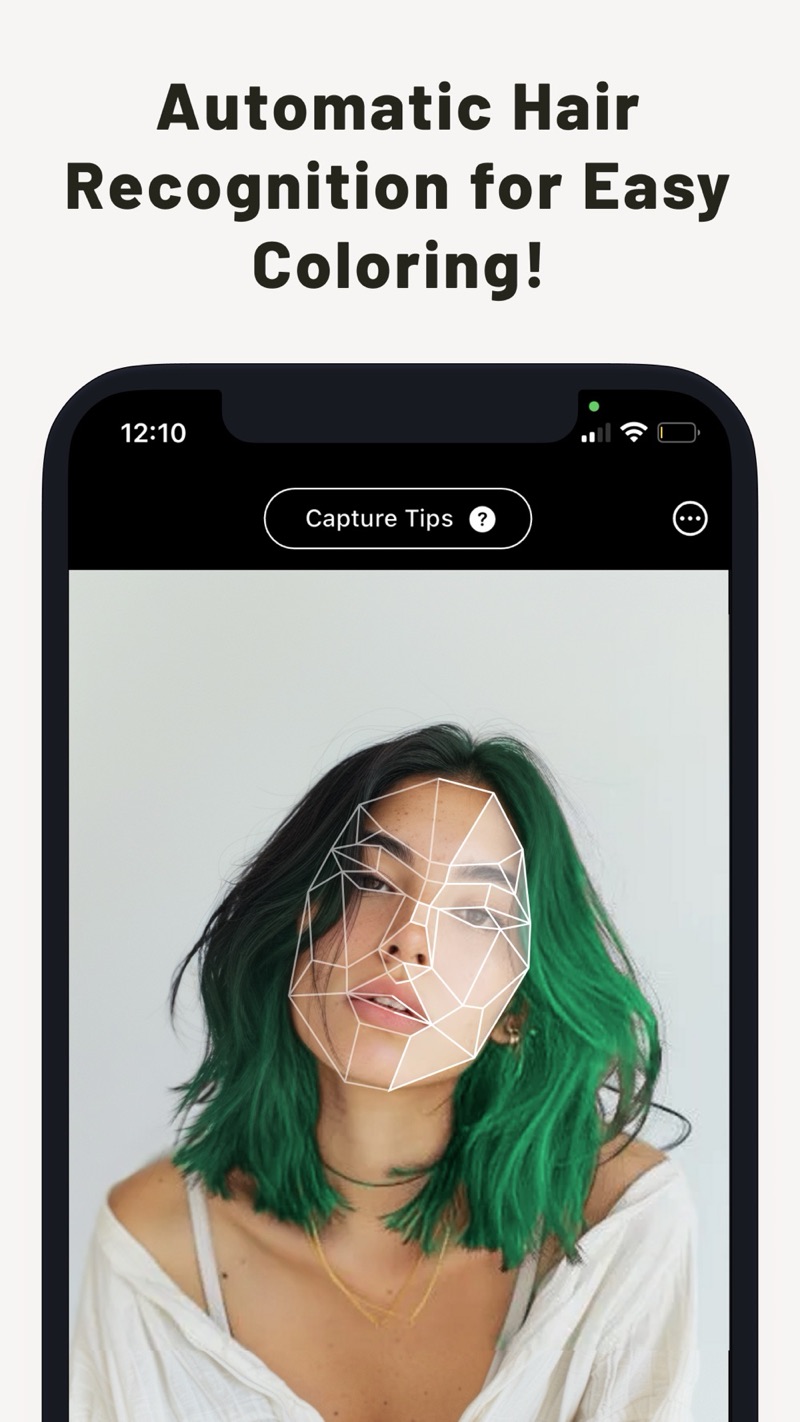
The app finds your hair for you
You do not trace the hair by hand. The app detects the hair area in your photo automatically. If the photo has several faces, you pick whose hair to color. If a spot looks off, use the eraser to clean it up.
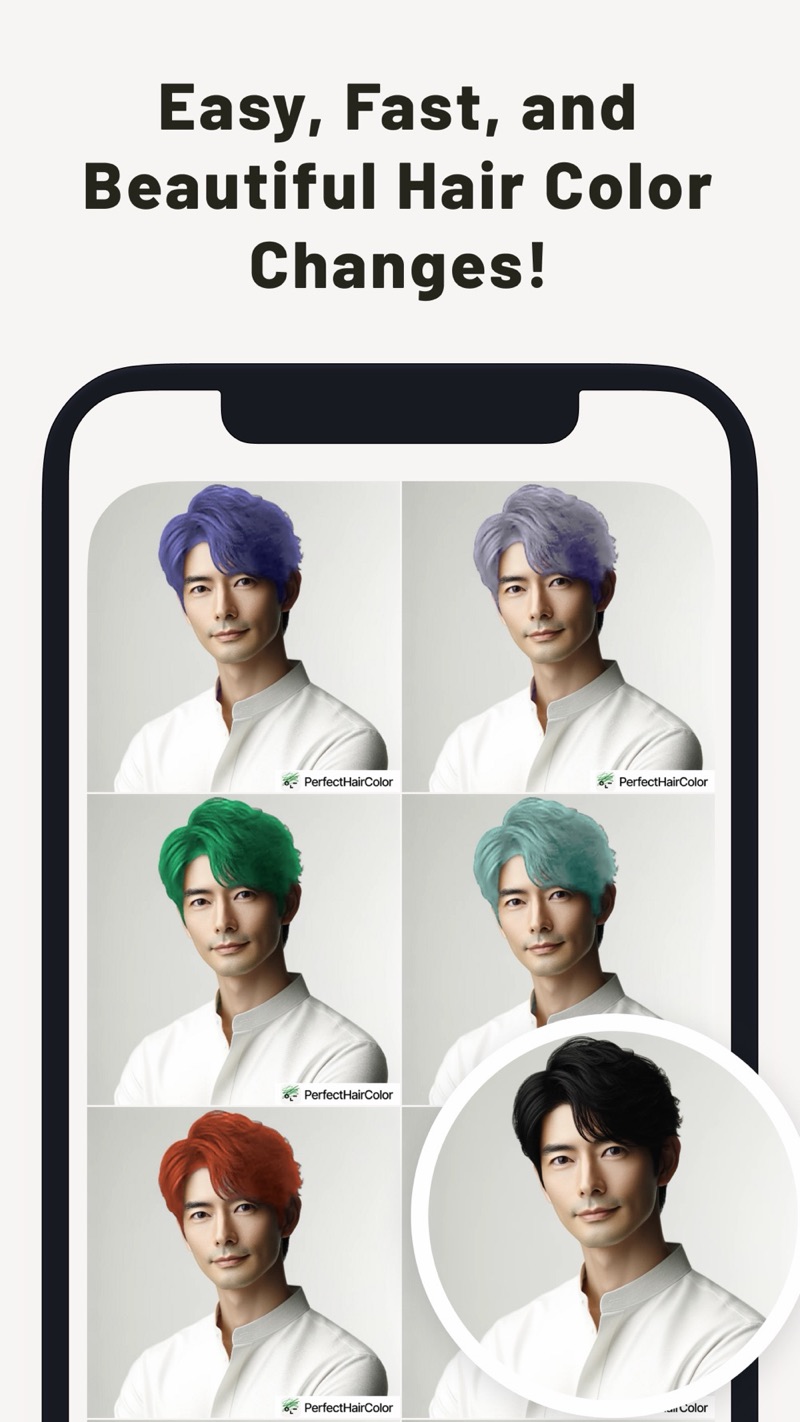
Compare, save, and share
Line up several colors on the same photo, keep the original beside them, then save the picture or share it with friends to ask which one suits you.
Fine-tune the color
- Adjust color intensity, smoothness, and transparency.
- Make your own custom color.
- Paint highlights or inner color with the pen tool, with adjustable pen thickness and color strength.
- Erase color from areas that should stay natural.
How to try a hair color
Pick a photo
Take one with the camera or choose a portrait from your gallery.
Swipe through colors
Your hair is detected automatically. Swipe along the color row until one feels right.
Tweak, save, share
Adjust the look if you like, then save the picture or share it.
Frequently asked questions
Is PerfectHairColor free?
It is free to download and use. The free version shows ads and puts a PerfectHairColor watermark on your pictures. Premium, the paid option in the app, removes both. Some preset colors are marked as Premium, and the number of photos you can upload for free may be limited. Prices and terms are shown in the app and on the store page.
Does it change my real hair color?
No. It only shows a simulated preview on your photo. A real dye job depends on your hair, the product, and who applies it, so treat the preview as a guide.
Does it work on black hair?
Naturally dark hair is what the app is designed for. A bleach effect lightens it in the preview before a color is applied. Results vary with the photo, so try a few.
Can I use a photo from my gallery, and what if there are several faces?
You can take a new photo or pick one from your gallery. If the photo has several faces, you choose whose hair to color.
Where does my photo go?
To find the hair area, the app sends the face you selected, cropped from the photo, to a server. The color changes themselves are applied on your device. For how data is handled, read the privacy policy linked at the bottom of this page.
A spot looks wrong. Can I fix it?
Yes. An eraser removes color from areas that should not be colored, and a pen tool paints extra color such as highlights or inner color.
Which phones are supported?
iPhone with iOS 13 or later, and Android phones with Android 8.0 or later. The app is translated into 11 languages.
Find your next hair color on your own photo
Free to download for iPhone and Android.